
You surely know a place with a story. It can be a famous monument, but also that street corner where something happened that only the locals know about, the building that used to be something else, or the square your grandmother always told the same story about. These stories exist in every city, but many of them are almost never written down anywhere. That’s what LightUp is for: to hear them as you walk past, and to tell them yourself when you know them.
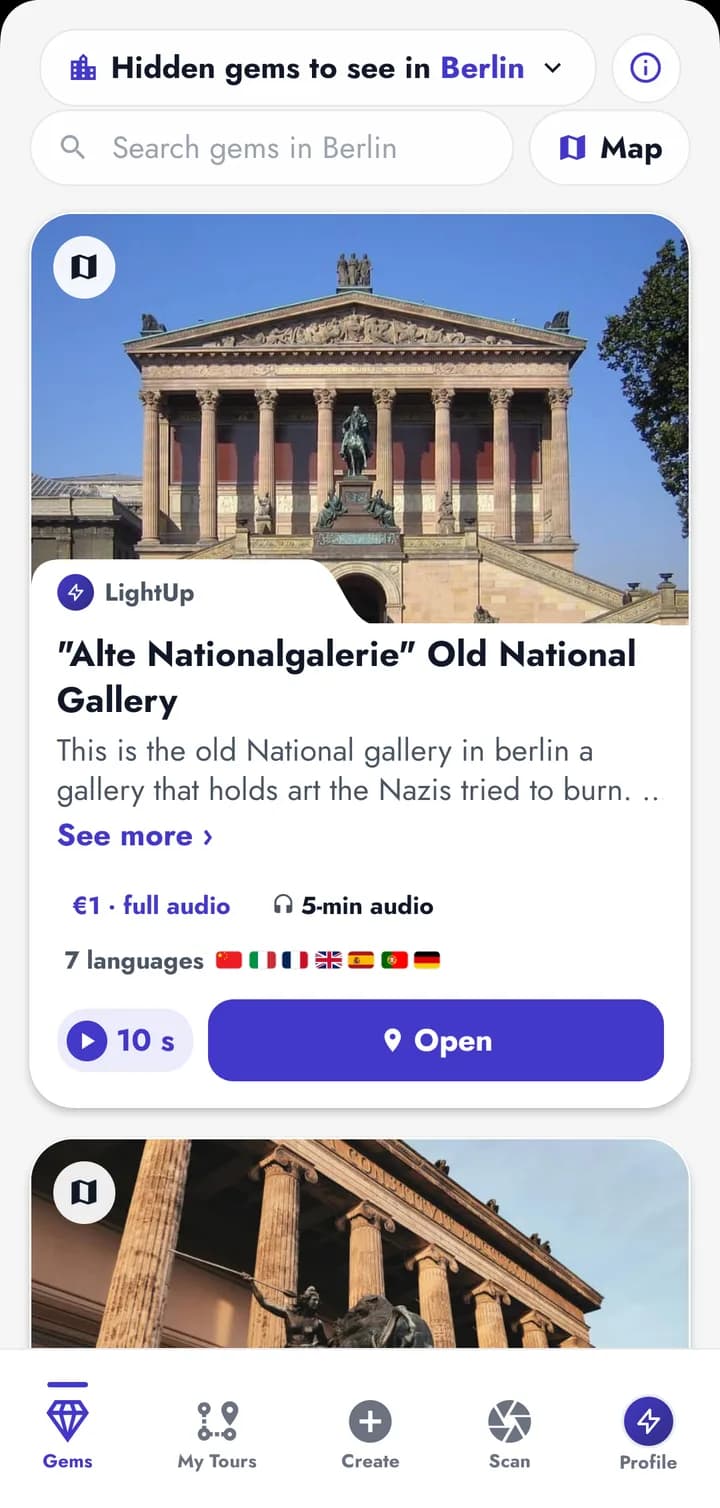
Every place has something to tell
LightUp was born from a simple idea: that anyone, wherever they are, can hear the story of the place in front of them. It doesn’t have to be famous. A street corner, a mural, an old house with a past nobody knows: if a place has a story, it has a home in LightUp.
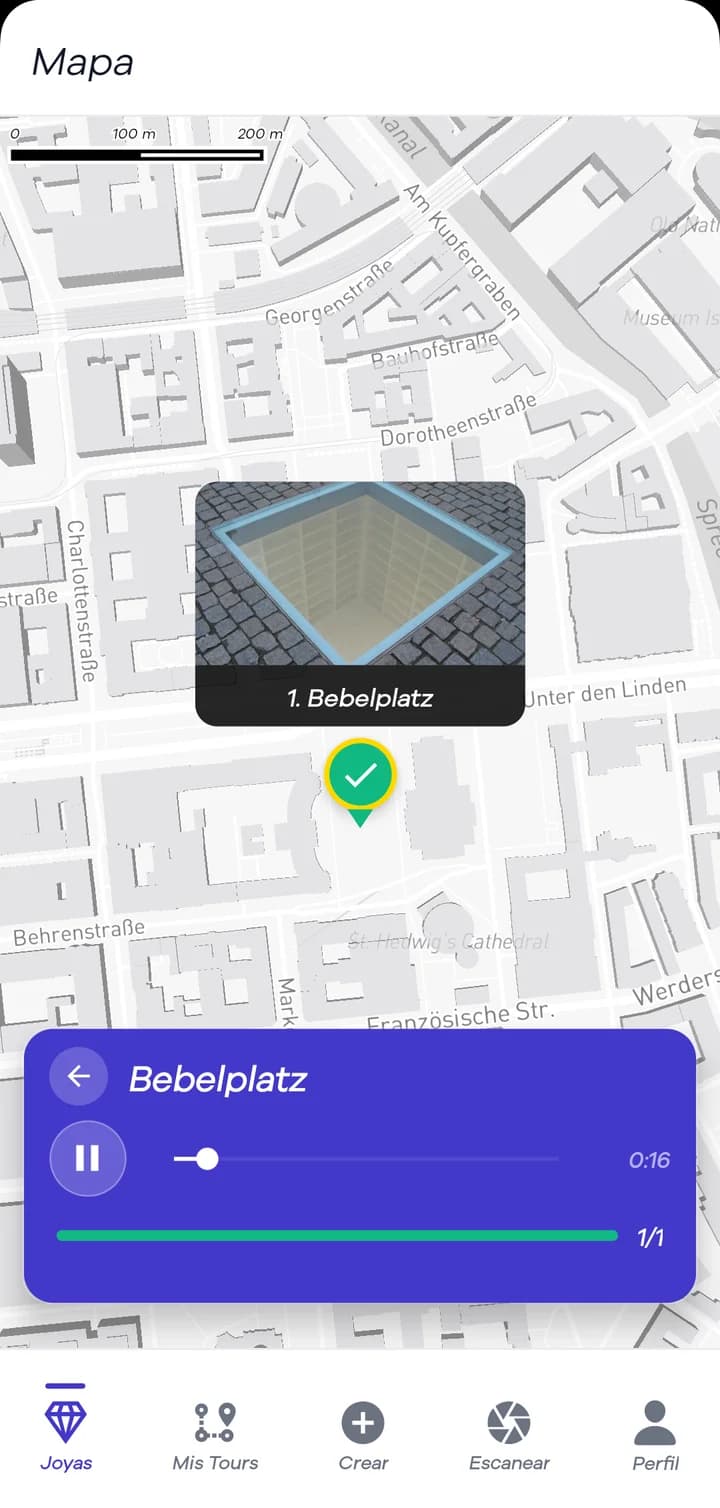
You open the app and see a map with the places around you. Tap one and hear its story, in your language, while it’s right in front of you.
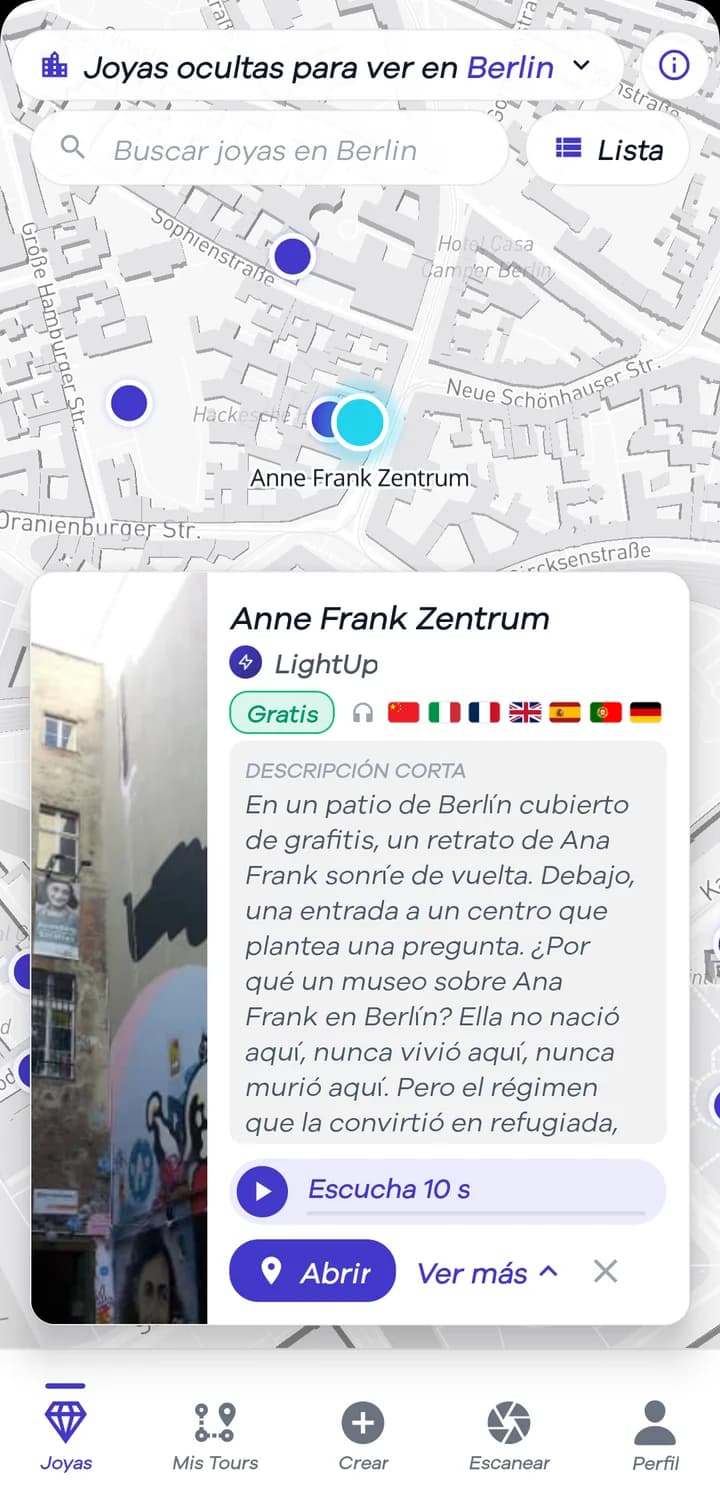
Point and listen
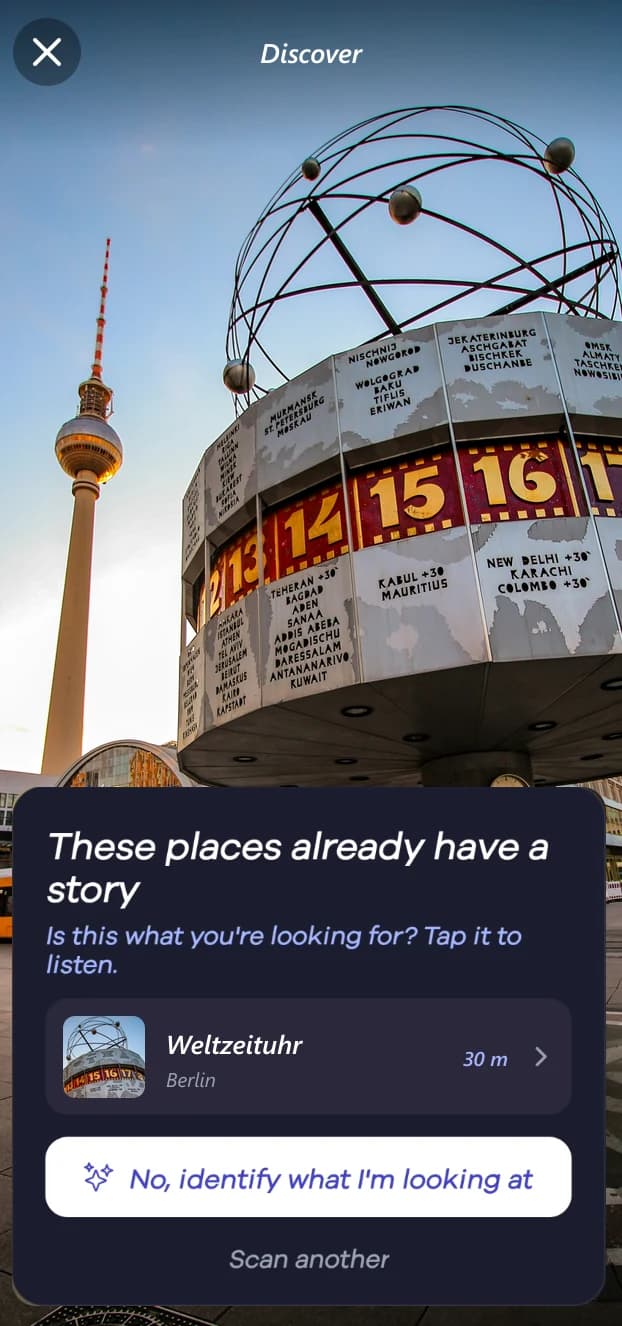
Not sure what you’re looking at? Open Discover and take a photo. If someone has already told the story of that place, LightUp shows it to you so you can listen right there.
And if nobody has told it yet, the app tells you what it is. Maybe you’ll be the first to tell its story.
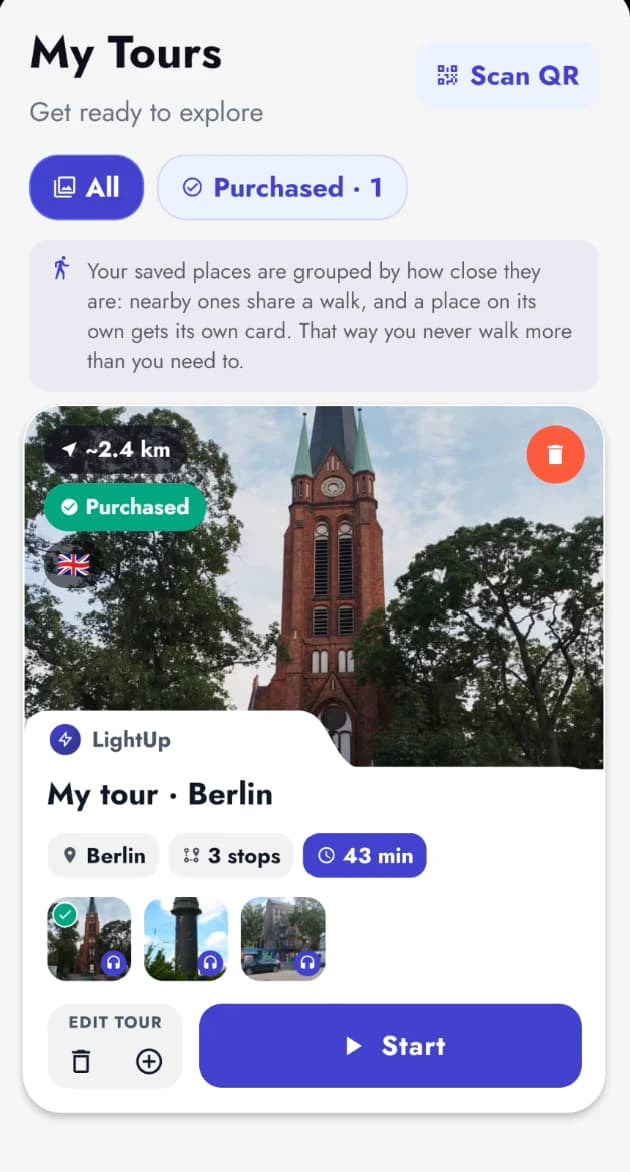
Your tour and your guides
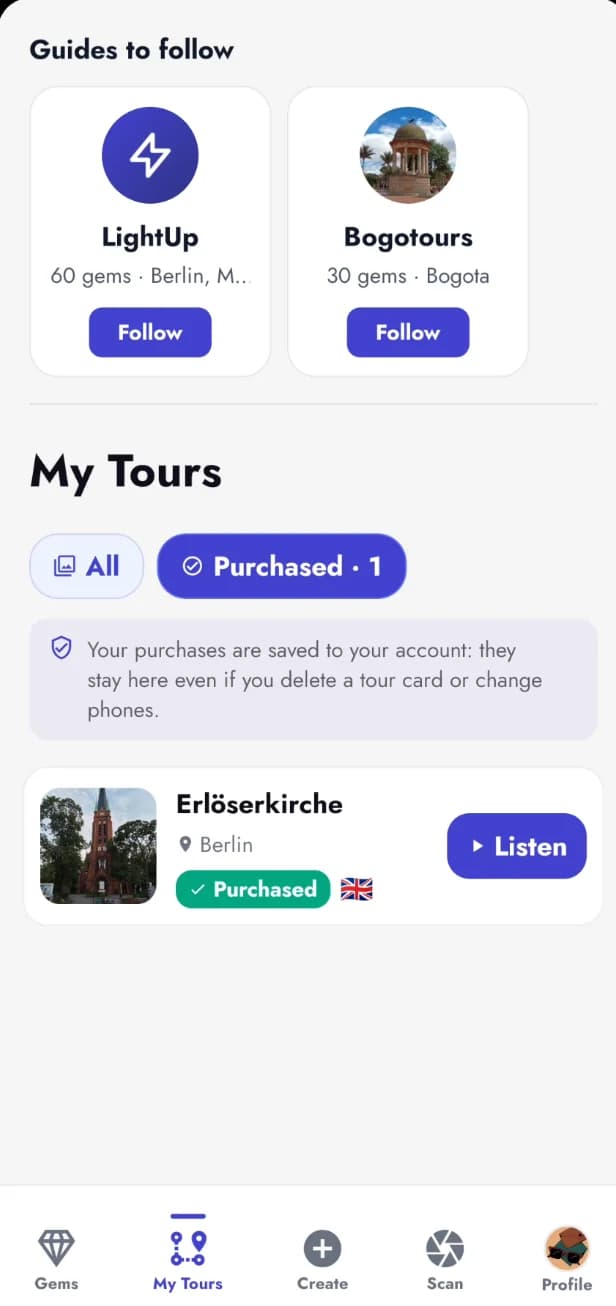
The places you save group themselves by how close they are: the ones near each other become a walk, with its stops and how long it takes. Tap «Start» and listen to them one after another.
What you buy stays saved to your account, even if you delete the card or change phones. And if you like how someone tells their stories, follow them and see what they publish next.
On your computer too
On lightuptours.com you get the same map as in the app, right in your browser: search for gems, switch cities and read what each place is about. To listen, use the app; and if you want to tell a story, you can upload your audio from the website too.
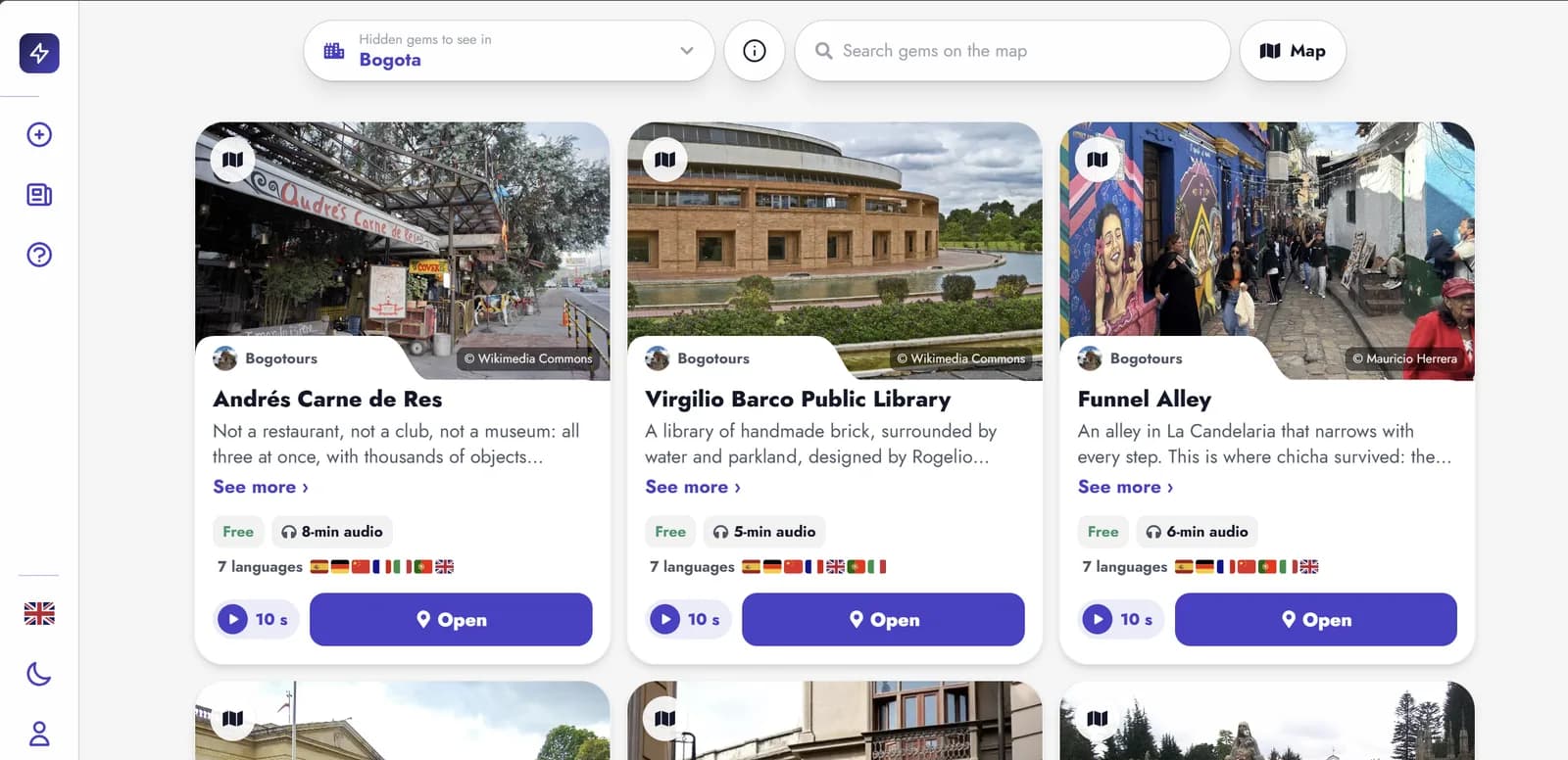 A city’s list of gems: photo, who tells it, whether it’s free, how long it lasts and which languages you can hear it in.
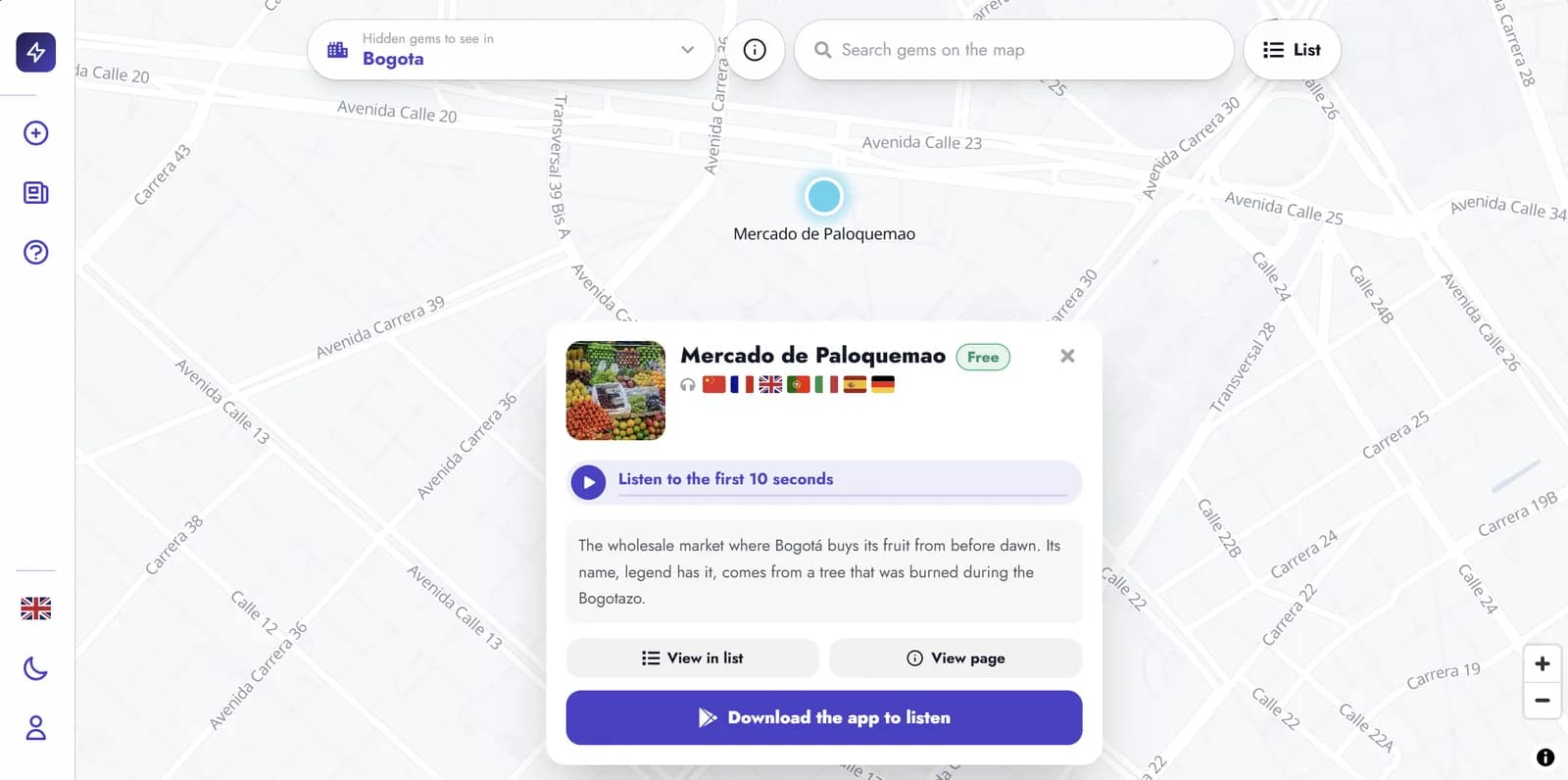 The same map in your browser: tap a place, read what it’s about and hear the first 10 seconds.lightuptours.com →
Simple on purpose
It wasn’t always like this. For almost a year I kept adding things: an AI video generator, messaging, more screens, more options. Each one made sense on its own, but together they buried what mattered. People who opened the app couldn’t tell whether it was a social network, a video editor or a guide.
So I removed them. Today LightUp does one thing and does it well: it takes you to a place and tells you its story. It’s the lesson I take into this and every other project: more isn’t always better.
You can tell stories too
The best stories aren’t in travel guides. They’re known by the people who live in a place: the ones who know why that street has its name, what used to stand on that empty lot, or what happened in that square fifty years ago.
On LightUp you mark that place on the map and tell what you know in your own voice, in your own language. The next person who walks by will hear it.
To tell stories you need to create an account. It’s the only way to know there’s a real person behind every story, so listeners can trust that nobody made it up.
And it’s your call: you can charge for what you know or make it free for everyone to hear. If it’s free, listeners can leave you a tip.
How it works
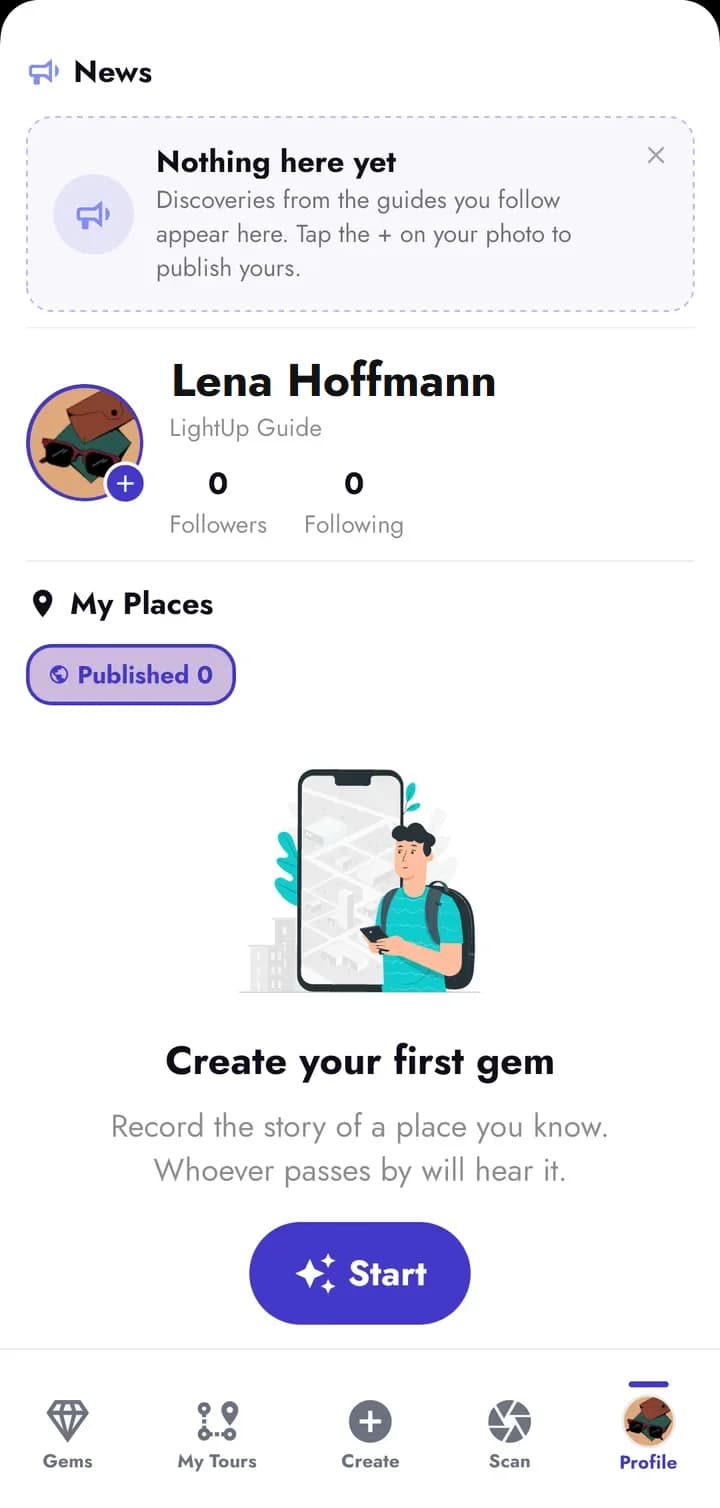
1Open your profile and tap “Start” to create your first place.
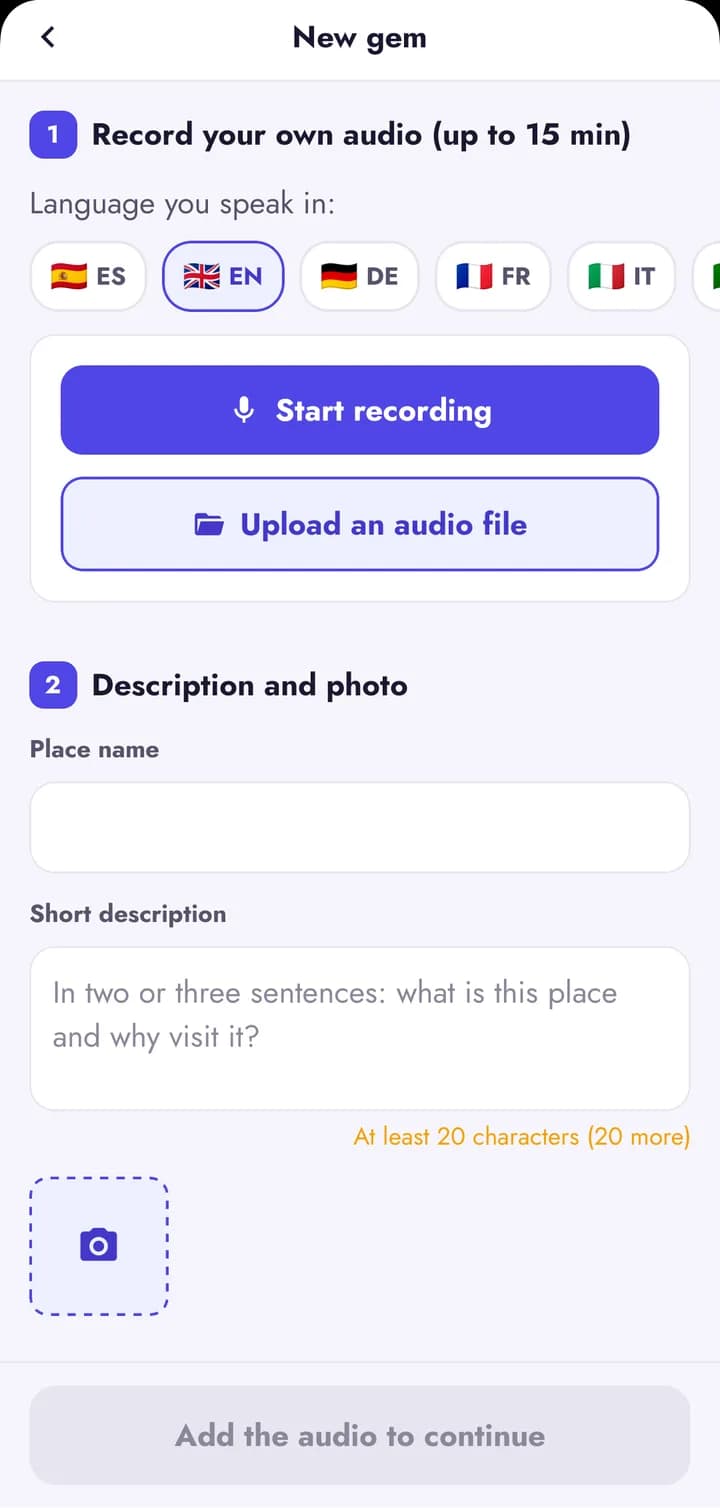
2Record your story, up to 15 minutes, or upload an audio file. Then give it a name, a short description and a photo.
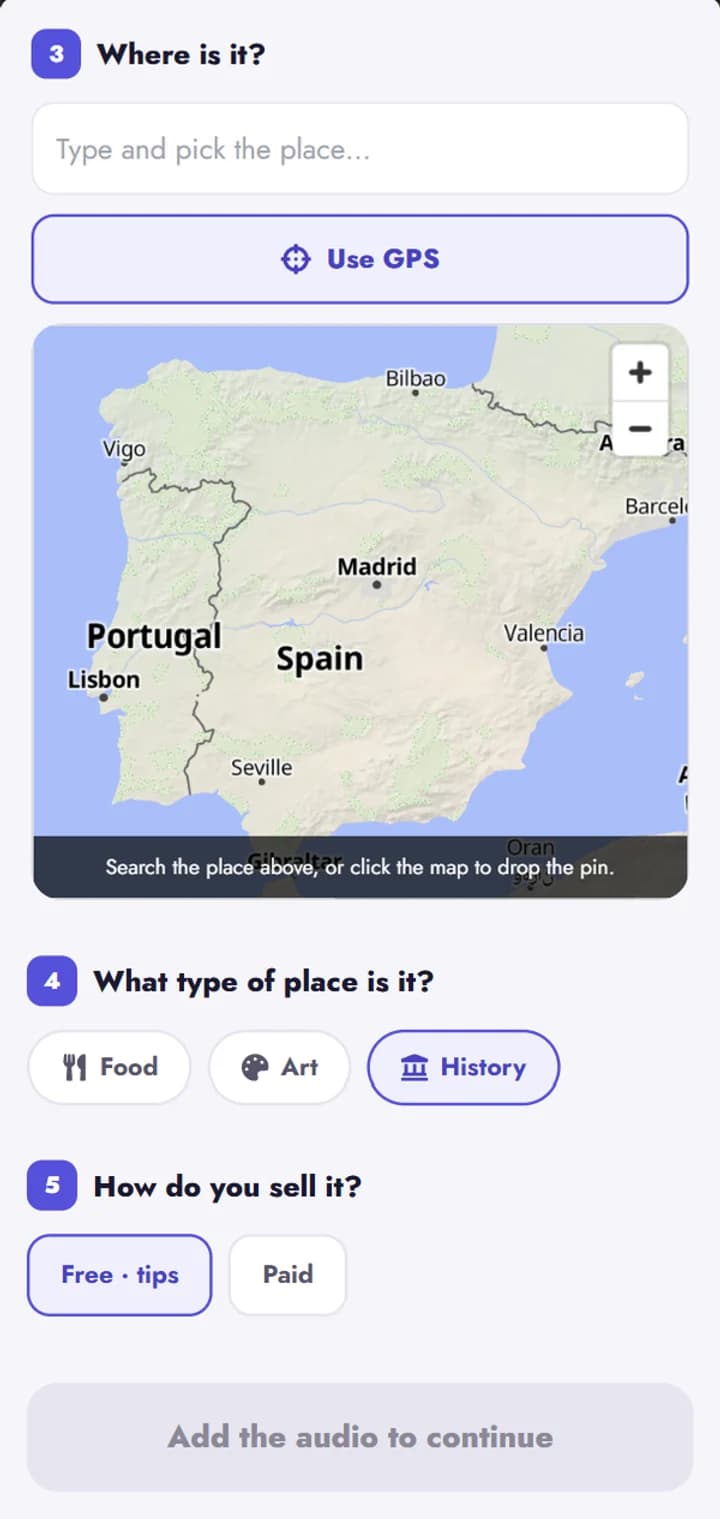
3Mark where it is, choose what kind of place it is and decide whether it’s free with tips or paid.
4Tap continue and, within a few minutes, your place shows up on the map, where everyone can see it and listen to it.
You’re early
LightUp is new and there are still only a few of us. That has an upside: in many cities nobody is telling their stories yet, and the first people to do it will decide what gets heard there.
Start with your street
Download LightUp, see which stories are near you and, if you know one that’s missing, tell it. That place is waiting for you.
Already tried it? Tell me
Tell me what you thought: what you liked most, what you missed or what you’d change. I read every message myself, and your feedback helps make LightUp better and better.